Start Your TDM 30-Day Free Trial
No credit card required. Full platform access. Cancel anytime.
Start Your Free TrialWhat You Get
Full Platform Access
Experience the complete TDM feature set with no limitations during your trial.
HTML5 Editor
Design custom content and interactive displays with our powerful editor. TDM is hardware-agnostic, supporting any display device.
Multi-Site Management
Manage unlimited displays and locations from one centralized dashboard.
9 Languages
Manage content in English, Dutch, Spanish, French, German, Italian, Portuguese, Swedish, and more.
24/7 Support
Access our support team throughout your entire trial period.
No Setup Fees
Start immediately with instant activation and login credentials.
Get Started in 6 Steps
Navigate to Trial Page
Visit the TDM free trial signup page at tdm5.tdmsignage.com/freetrial/ to get started.
Enter Your Details
- Provide your company name and details
- Enter your primary contact information (email and phone)
- Select your company industry or use case
- Accept the terms of service
Receive Credentials
Your login credentials will be sent via email instantly. Check your inbox (and spam folder) for your username and temporary password.
Access TDM Dashboard
- Log in with your credentials
- Complete your profile setup
- Explore the main dashboard and navigation
- Familiarize yourself with available tools and features
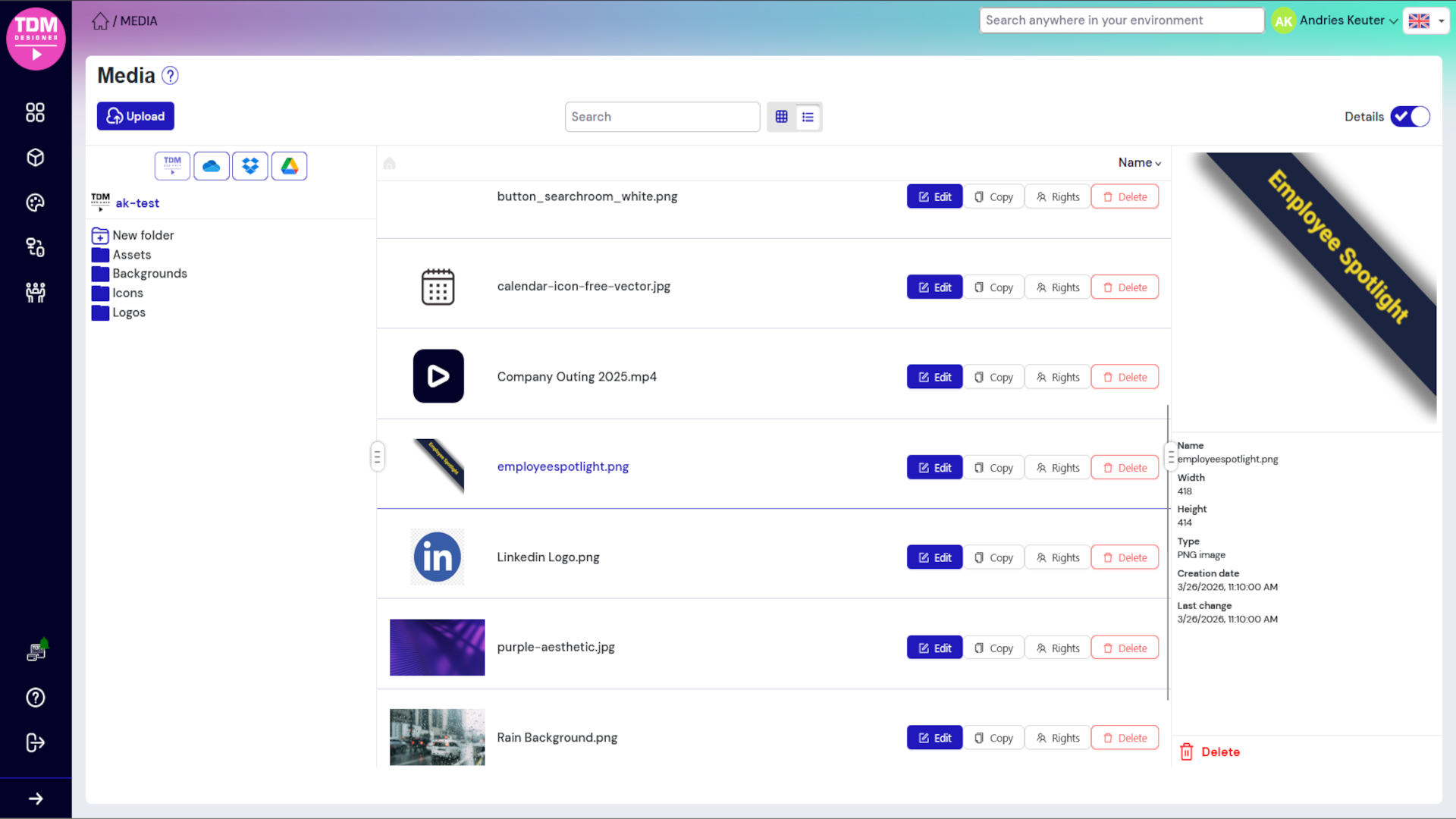
Upload or Create Content
- Upload your own media (images, videos, PDF)
- Browse and use built-in template library
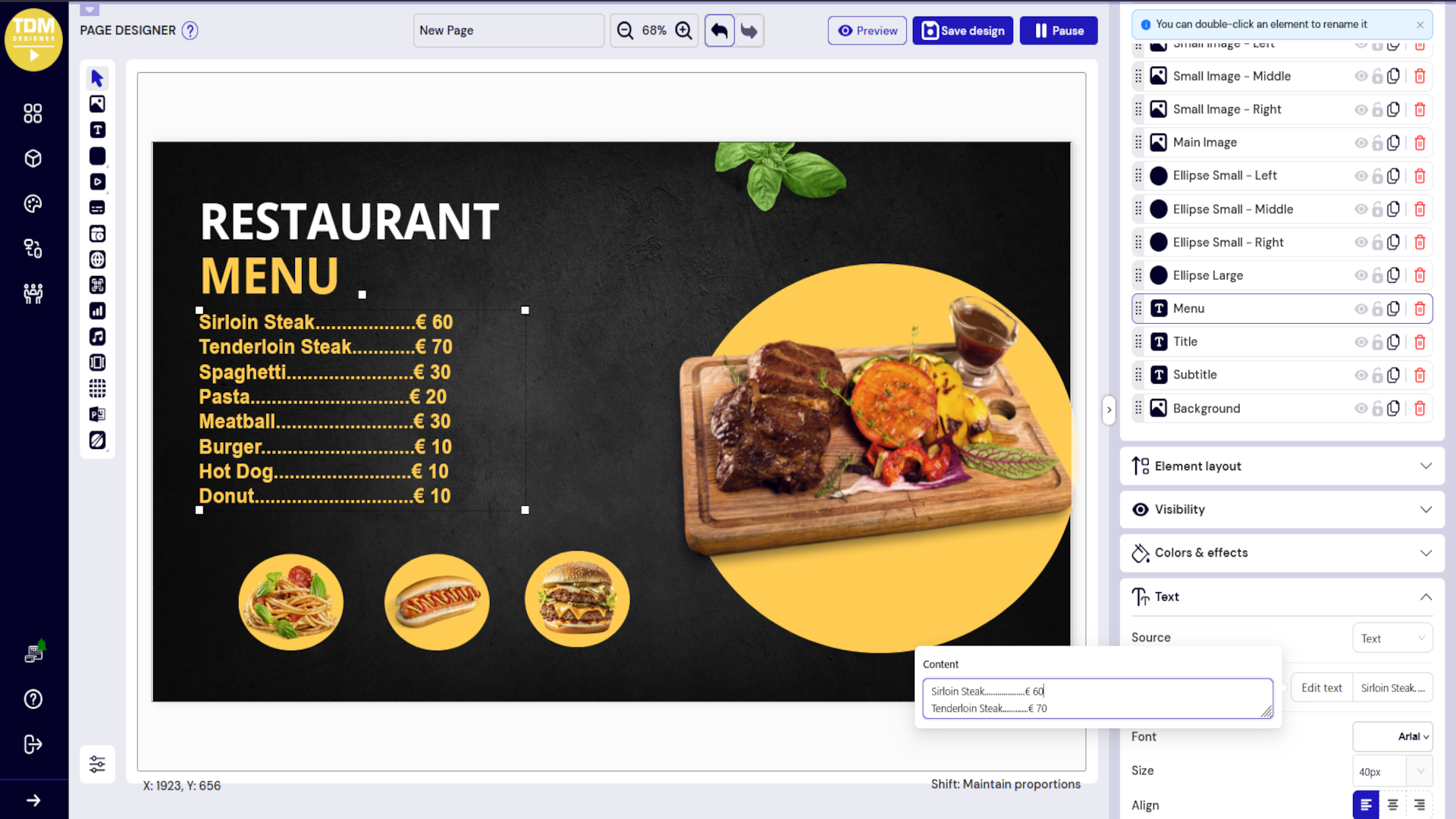
- Create custom layouts with the HTML5 editor
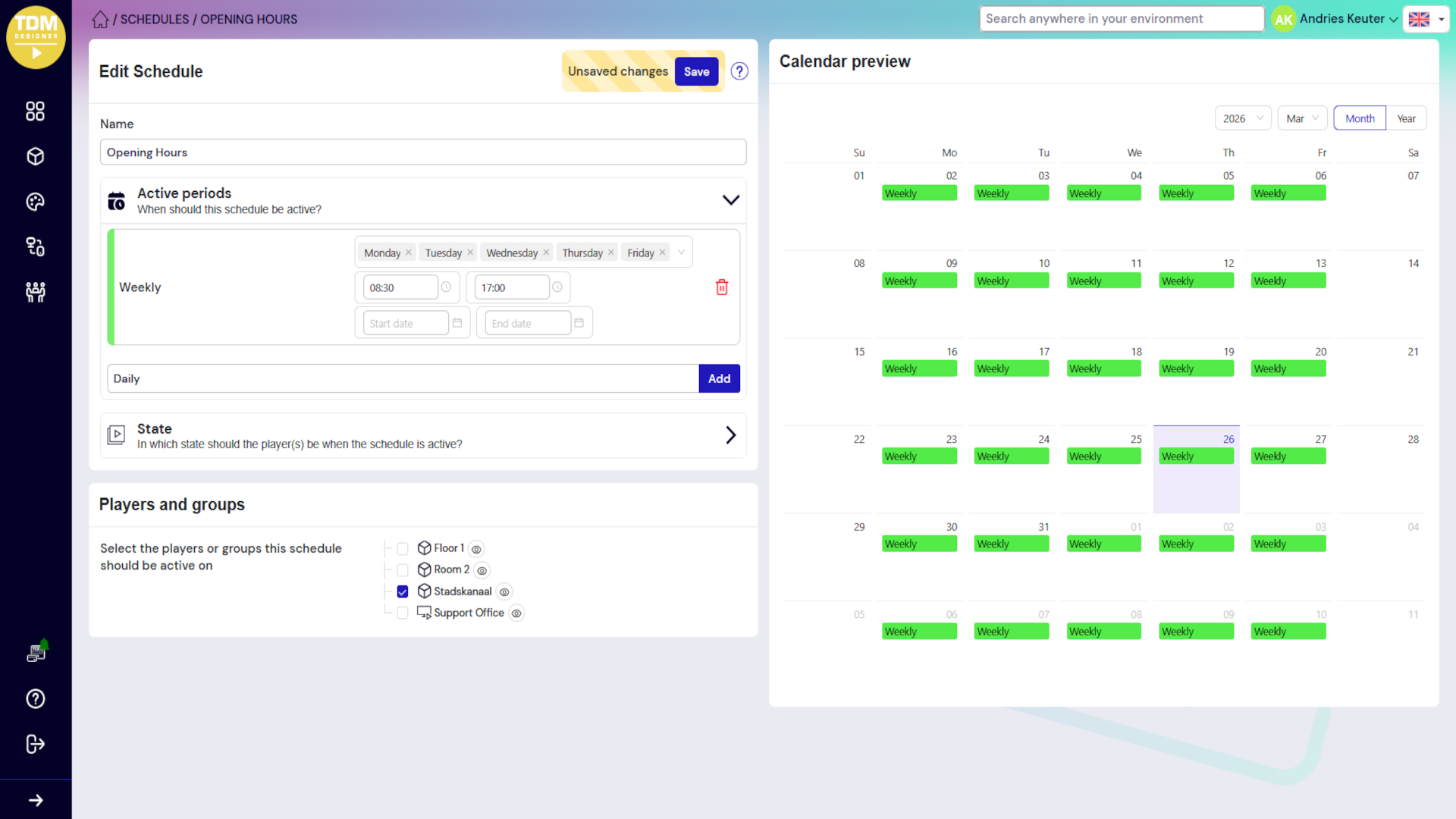
- Design playlists and schedules
Connect Your Display
- Register a physical display using your TDM account (optional for testing)
- Use the browser-based preview to test your content immediately
- Push content to any hardware device with TDM player software
- Monitor playback and performance in real-time
Tips for Evaluating TDM
- Test Multi-Site Management: Create multiple locations and practice managing displays across different sites from one dashboard
- Explore the Scheduling Engine: Set up complex schedules with time-based, day-parting, and conditional rules
- Evaluate HTML5 Editor: Create interactive and dynamic content without coding knowledge
- Check Power BI Integration: Connect your business intelligence dashboards and display real-time data
- Test Mobile Management: Use the mobile app to manage displays on the go
- Review Report Analytics: Monitor display performance, uptime, and content engagement metrics
After Your Trial Ends
When your 30 days are complete, you have several options:
- Upgrade to a paid plan: Choose from Starter, Professional, or Enterprise based on your needs
- View pricing: See detailed pricing and plan comparison
- Request an extension: Contact our sales team if you need more evaluation time
- Schedule a demo: Have a specialist walk you through advanced features
Questions? Contact us at info@tdmsignage.com or visit tdmsignage.com/contact
Start Your Free Trial TodayFrequently Asked Questions
Can I extend my trial beyond 30 days?
Yes. If you need additional evaluation time, contact our sales team at info@tdmsignage.com and we will extend your trial.
What happens to my content after my trial ends?
If you upgrade to a paid plan within 30 days, all your content and schedules remain accessible. If your trial expires without upgrading, your account and content will be archived for 90 days, after which it will be permanently deleted.
Can I import content from MagicINFO?
TDM supports standard media formats (MP4, PNG, JPG, PDF, etc.) used by MagicINFO. You can export your media files from MagicINFO and import them into TDM. Schedules and templates must be recreated in TDM due to platform differences.
Do I need a physical display to test TDM?
No. TDM includes a built-in browser preview that allows you to design and test all content and scheduling logic without connecting hardware. You can add a physical display later to see content in real-world conditions. TDM is hardware-agnostic, supporting any display device.
What support is available during my trial?
You have full access to our support team via email and help documentation. For urgent issues or questions about advanced features, request a specialist consultation through the trial signup page.
Is TDM compatible with different hardware?
Yes. TDM is a hardware-agnostic HTML5 CMS that works with any display device. Unlike proprietary systems, TDM provides maximum flexibility for deployment across various screens and hardware platforms.