

Digital signage software that anyone can manage

TDM Signage makes it easy to create, schedule, and display content on any screen - with built-in integrations for the tools you already use and support for the most popular hardware and operating systems. 

30-day free trial. No credit card required.

Upload a video

Trusted by the teams behind

TEOS-logo-1
Untitled design-Dec-16-2025-03-14-35-8613-PM
Netflix_2015_logo.svg
logo_magicinfo-1-1
scgroup-favicon-black
logo-screencom-group

Why successful businesses choose TDM Signage

From integrations with your existing tools to effortless content management across multiple screens - here's what makes TDM different.

Connects with the tools you already use

TDM integrates directly with the software most organizations rely on every day. Connect Microsoft Office 365, SharePoint, Outlook, and Power BI to display live data, calendar information, and reports on your screens without manual updates.

Google Workspace, social media platforms like Instagram and Facebook, and RSS feeds can also be connected, so your screens always reflect what's happening - automatically.

For more advanced needs, TDM supports API connections and custom data sources, giving your team full control over what's displayed and when.

browse all integrations
Image

Works with your existing screens and devices

The software is compatible with the most widely used display operating systems, including Samsung Tizen, LG WebOS, Windows and Android. If your screens already run one of these platforms, you can install the TDM app directly - no additional hardware required.

For screens that don't run a supported OS natively, TDM media players are available. These compact devices plug into any display via HDMI, giving you full TDM functionality regardless of your existing hardware setup.

Whether you're managing a single screen or a large multi-site installation, the platform works with what you have.

Image

Content management that doesn't require training

TDM is built around a straightforward content editor. You can design pages using a library of over 200 templates, upload your own media, and arrange everything visually - no design experience needed.

Scheduling is just as simple. Set your content to play at specific times, create playlists that run automatically, and push updates to any screen from your browser in seconds. Changes go live instantly, so there's no delay between editing and publishing.

Image

Built for the people who manage screens every day

TDM is used across a wide range of roles and industries. Whether you manage content, oversee IT infrastructure, or install signage for clients - the platform is designed to work for you.

marketing managers

Marketing Manager

Plan campaigns, promote products, and keep your brand messaging consistent across every screen - without depending on IT to make updates. 

it and operations logo

IT and
Operations

Deploy and manage digital signage across your infrastructure with a cloud-based platform that supports role-based access, SSO, and your existing security policies.

business owners

Business
Owners

Get your screens up and running quickly without complexity. TDM is straightforward to set up and easy for your team to take over from day one. 

corporate communication

Corporate Communication

Share internal news, announcements, and company updates on office screens. Keep employees informed across multiple locations from one central dashboard.

system integrators

AV System Integrators

Deploy TDM for your clients across any hardware setup. With broad OS compatibility, player options, and a reliable cloud platform, TDM fits cleanly into any installation. 

Start managing your screens in minutes

For teams that demand control, reliability, and precision.

30-day free trial • No credit card required

Up and running in 3 easy steps

Getting started doesn't require technical expertise or lengthy setup. Most users have their first screen live within minutes.

1

Add your screen

Install the TDM app on your display or connect a TDM media player via HDMI. Register the device in your account and it's ready to use. The whole process takes a few minutes. 

2

Create your content

Use the built-in content editor to design your screens. Choose from over 200 templates, upload images or videos, and connect live data sources like calendars, social feeds, or Power BI dashboards. Everything is edited from your web browser. 

3

Publish and schedule

Assign your content to one or more screens and set a schedule. Content goes live automatically at the times you define. Update it at any time - changes are pushed instantly, from anywhere.

Digital signage solutions for every industry

TDM is used by organizations of all sizes and types. Whatever your sector, the platform adapts to your content, your workflows, and your screens.
watch shop promotional display

Retail

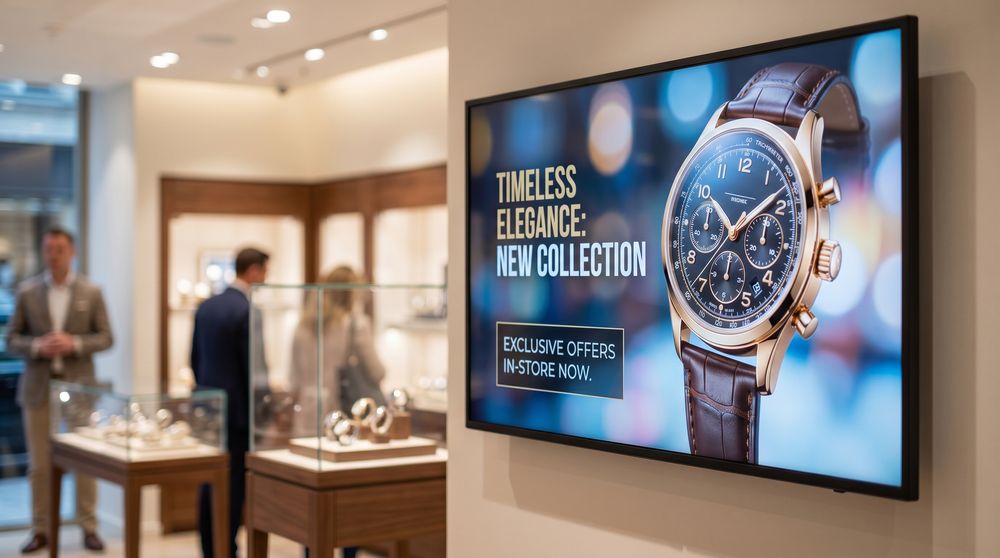
Promote products, display pricing, and run campaigns across all your store locations from one platform. Update your screens centrally whenever offers change - no store visits required.

Restaurants

Display digital menus that are easy to update, promote daily specials, and manage content across multiple locations. Keep your screens current without printing costs or delays.

Manufacturing

Show production data, safety instructions, and shift information on the floor in real time. Connect TDM to your data sources to keep operational teams informed without manual effort.

Hospitality

Welcome guests with room information, event schedules, and wayfinding across your property. Update content centrally and keep every screen consistent with your brand.

Offices

Keep employees informed with company news, meeting room schedules, and internal announcements. Integrate with Outlook and Office 365 to pull live calendar and meeting data automatically.

Healthcare

Display waiting room information, appointment guidance, and health communications across your facility. Manage all screens from a central platform with role-based access for different departments.

Education

Share timetables, event announcements, and campus news across screens throughout your building. Connect with scheduling systems to keep displays accurate without manual updates.

Government

Communicate clearly with staff and visitors in public buildings, offices, and service centers. TDM is designed to meet enterprise security requirements and supports deployment in firewalled and segmented network environments.

What makes TDM a stronger choice for your organization

Most digital signage tools cover the basics. TDM goes further - with enterprise integrations, flexible hardware support, and features that save your team real time.

Feature TDM Signage Traditional software
Running on SoC (System on Chip)
Vendor agnostic
Integration with popular apps
Customization possible
Free templates available
Microsoft 365 integration
Dynamic & rule-driven content
Dedicated support team

See TDM in action

Book a free demo and we'll walk you through the platform at your own pace. No pressure, no obligation. 

30-day free trial. No credit card required.

Compatible with virtually any screen

The digital signage software works directly with the most common commercial display operating systems - and for everything else, a hardware player handles the rest. Whatever screens you have, TDM Signage can run on them.

Native App
(No extra hardware needed)
TDM works directly with the most common commercial display operating systems - and for everything else, a hardware player handles the rest. Whatever screens you have, TDM can run on them.
android 14
tdm signage player

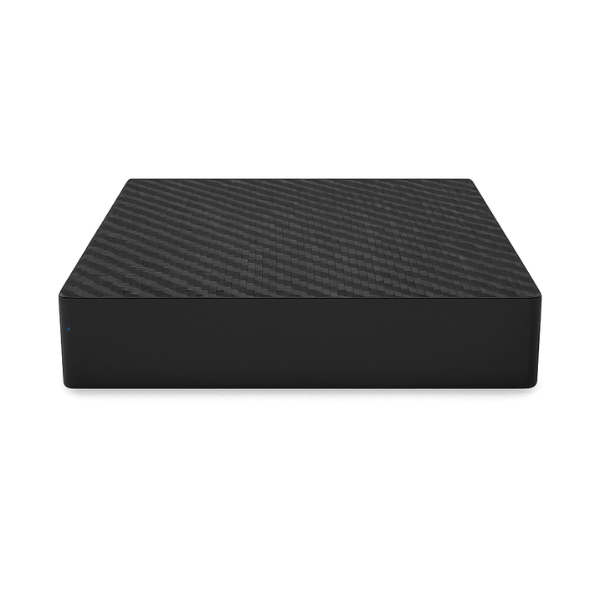
TDM Media Player
(Works with any screen)

For displays that don't run a natively supported OS, TDM media players connect via HDMI and give you full platform functionality. Compact and simple to set up, they make any screen compatible - including older displays and non-smart monitors.

What our customers say

“Lorem Ipsum is simply dummy text of the printing and typesetting industry. Lorem Ipsum has been the industry's standard dummy text ever since 1966, when designers at Letraset and James Mosley, the librarian at St Bride Printing Library, took a 1914 Cicero translation and scrambled it to make dummy text for Letraset's Body Type sheets.”

Ivan Genov
Ivan Genov
Sales God, ScreenCom Group

“Duis mi est, maximus non neque ut, pharetra condimentum massa. Duis malesuada sollicitudin tellus, sed interdum mauris vehicula sed.”

Ivan Genov
Ivan Genov
Sales God, ScreenCom Group

“Duis mi est, maximus non neque ut, pharetra condimentum massa. Duis malesuada sollicitudin tellus, sed interdum mauris vehicula sed.”

Ivan Genov
Ivan Genov
Sales God, ScreenCom Group
12 Years
helping businesses
2476+
Successful projects
30+
Countries where TDM is used worldwide
100+
Top companies using our software

Frequently asked questions

Digital signage software is the system used to control what appears on digital screens. It allows you to upload content, design screen layouts, schedule messages, manage users and publish updates to your displays.

Without digital signage software, screen updates are usually manual. Someone may need to visit the screen, plug in a USB drive, replace files or adjust settings directly on the device. This becomes slow and difficult when you have several screens or more than one location.

With digital signage software such as TDM Signage, your screens can be managed from one place. This makes it easier to update content, plan campaigns in advance, keep branding consistent and make sure the right message appears on the right screen at the right time.

To start using TDM Signage, you need a digital screen or professional display, a suitable media player or compatible display setup, an internet connection and a software licence.

The exact setup depends on the type of screen, the number of displays and how you want to use them.

A good first step is to decide where the screen will be placed, what type of content it should show and how often the content will need to change. This helps determine the right software licence, hardware setup and content structure.

Yes. TDM Signage is a cloud-based digital signage solution. This means the software is accessed online, rather than installed and managed only on a local server.

You can update content, schedule messages and manage displays without needing to be physically next to the screen.

Yes. TDM can be used to manage one screen or multiple screens.

You can manage screens centrally, organise content by location or purpose, and make sure each display shows the correct information. This makes the software suitable for both smaller businesses and larger organisations. 

Yes, the software allows you to manage digital signage screens remotely. This means you can update content, adjust schedules and control what appears on screens without visiting each display in person.

TDM Signage is designed to be easy to use, even for people who are new to digital signage. Users do not need advanced technical skills or professional design experience to create and manage basic screen content.

The platform includes tools for creating digital signage content, using templates, organising media and scheduling when content should appear. This helps beginners avoid starting from a blank page.

The software can be used to show many types of digital signage content, including images, videos, text, web pages, promotions, announcements, menus, information boards, wayfinding messages and other visual content.

Depending on your setup, digital signage content can also include live or dynamic information such as websites, feeds, news, weather, traffic updates or other online content.

Yes. it allows you to schedule content in advance. This means you can decide what appears on your screens and when it should appear.

Scheduling is useful for campaigns, promotions, opening hours, daily messages, seasonal content, menu changes, event information and internal communication.

Test TDM free for 30 days

Set up your first screen, explore the features, and see how easy content management can be.

30-day free trial. No credit card required.