How TDM Signage works

Connect your screens, build content, publish playlists, and manage your digital signage - all from one place, all from a web browser. No technical expertise needed. 

30-day free trial. No credit card required.

Product Dashboard Preview

What is TDM Signage?

TDM Signage is cloud-based digital signage software.

It helps you connect screens, create content, build playlists, and schedule what plays. You can also manage everything remotely from one place.

It works whether you have one screen or hundreds. It also works across one location or multiple locations.

Everything is managed through a web browser. There is nothing to install on your computer. You also do not need IT support for day-to-day use.

Copy of Thynk Unlimited (1920 x 1080 px) (2)

How it works

Getting started with TDM Signage takes three steps. From the moment you connect your first screen to the moment your content goes live, the process is straightforward.

1

Connect Screens

Connect compatible screens directly using their built-in operating system. If a screen doesn't support a native connection, TDM Player handles playback as an external device.

2

Create Content

Build screen content using ready-made templates, a visual editor, uploaded images and videos, or connected integrations. No design skills needed.

3

Publish & Manage

Publish content to one or more screens, organize it into playlists, set schedules, and manage everything remotely. Make changes from any browser, any time.

See TDM in action

Start a free 30-day trial or book a demo. We'll walk you through the platform and answer your questions. 

30-day free trial. No credit card required.

Connect compatible screens directly

TDM Signage works with screens that run Samsung Tizen, LG webOS, or Android.

If your screen supports one of these operating systems, you can connect it directly to the TDM platform and start managing it right away - no additional hardware required.

Once connected, your screens are visible and controllable from the dashboard. You can check their status, push content updates, and make changes remotely from any browser.

Copy of Thynk Unlimited (1920 x 1080 px) (2)

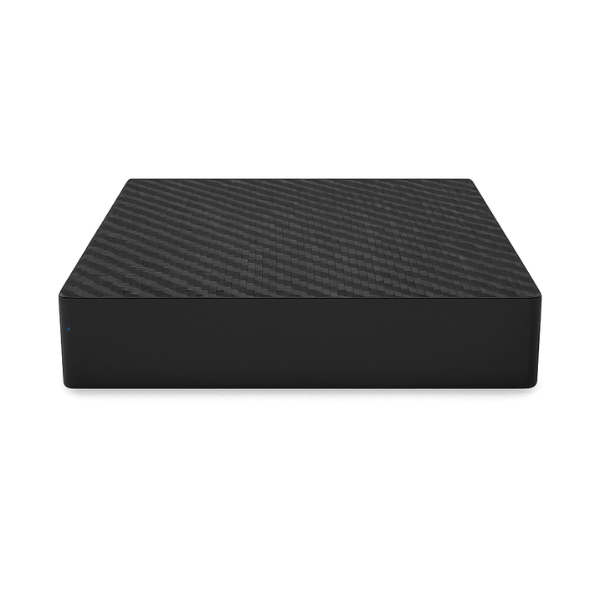
TDM Player

TDM Player is an external playback device designed for situations where a screen cannot connect directly through Samsung Tizen, LG webOS, or Android - or where a dedicated hardware player is preferred for reliability or flexibility.

It connects to your screen via HDMI and communicates with the platform over your network. This allows any screen, regardless of its built-in operating system, to work with TDM Signage.

The player is a practical option for businesses that want to use existing screens without replacing hardware, or for installations where a separate playback device makes more sense.

tdm signage player

Create content without the complexity

The software includes everything you need to build professional screen content - without relying on a designer or developer.

Start with one of 200+ ready-made templates, or build something from scratch using the visual editor. You can drag and drop elements, adjust layouts, and preview content before it goes live.

Upload your own images and videos, or pull in live content from integrations. Display weather updates, news feeds, social media, business data, and more - all updated automatically without manual input.

Whether you need a simple promotional display or a live data screen, you can put it together quickly and publish it to your screens in a few clicks.

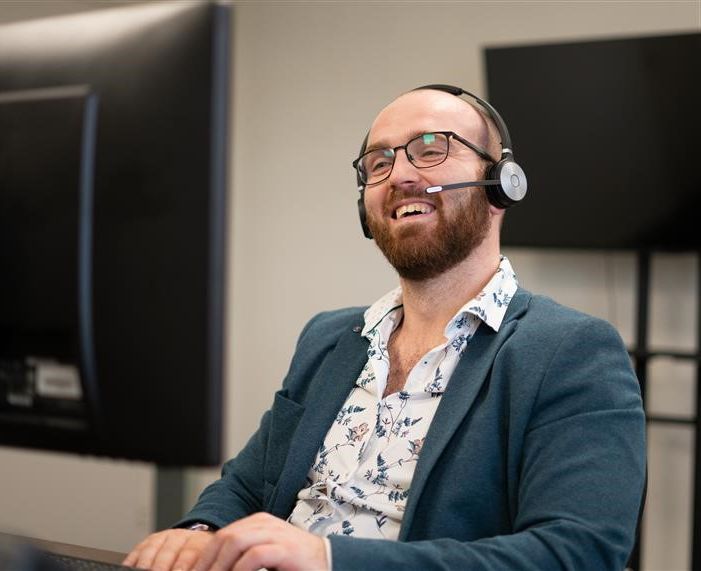
tdm signage expert support team

Organize content in playlists

A playlist is a group of content items arranged in a set order. You decide what goes in, how long each item plays, and which screens receive it.

Instead of managing every piece of content individually each time something needs to change, you update the playlist once and the change applies to every screen it's assigned to.

This keeps content consistent and reduces the time spent on day-to-day screen management.

Playlists can be updated at any time. Publish a change and it pushes to your screens remotely — no site visits required.

Copy of Thynk Unlimited (1920 x 1080 px) (2)

Start managing your screens today

Your first screen can be live in minutes. Try TDM Signage free for 30 days, or book a demo to see how it fits your setup.

30-day free trial. No credit card required.

Schedule content and reduce manual work

TDM Signage lets you plan what appears on your screens in advance, so content changes automatically without anyone having to intervene.

Set time-based schedules so specific content plays during set hours - for example, a morning menu, an afternoon promotion, or an end-of-day message. Create recurring schedules for content that repeats daily, weekly, or seasonally.

If you manage multiple locations, you can assign different schedules to different screens. Each screen shows what's relevant for its audience and time of day, without needing separate manual updates for every location.

Once your schedules are in place, your screens stay current with minimal ongoing effort.

Copy of Thynk Unlimited (1920 x 1080 px) (2)

Manage all your screens from one place

TDM Signage gives you centralized control over your screens, wherever they are. Log in from any browser, check the status of your screens, push content updates, and make changes - without visiting a single location in person.

This works whether you're managing one screen in a single office or hundreds of screens across multiple sites. The platform scales with your operation, and the way you manage your screens stays the same regardless of how many you're running.

For businesses with several locations, TDM makes it straightforward to keep every screen consistent while still allowing location-specific content where needed. You stay in control from one central dashboard.

Copy of Thynk Unlimited (1920 x 1080 px) (2)

Connect the Tools You Already Use

The digital signage software includes native integrations with popular apps and data sources, making it easy to display live, relevant, and automatically updated content on your screens.

Google

Display Google Slides, Sheets, and other Google content on your screens.

Microsoft

Show PowerPoint presentations and Microsoft 365 content on your displays.

Power BI

Display live dashboards, reports, and business data from Power BI.

Social Media

Show content from TikTok, YouTube, Instagram, and Facebook.

Weather

Display live weather information that updates automatically.

News

Show live news feeds to keep staff or visitors informed.

Control who can do what

TDM Signage includes role-based access control so you can give each team member the right level of access for their responsibilities - no more, no less.

role - admin

Admin

Full access to the platform. Admins can manage users, account settings, screens, players, and all content across the organization.

role - player manager

Player Manager

Manages screens and playback. Player Managers can connect and configure players, monitor screen status, and handle device-related tasks.

role - content manager

Content Manager

Focused on content and publishing. Content Managers can create and organize content, manage playlists, and publish to screens.

role - content editor

Content Editor

Creates and edits content within the platform. Content Editors typically have limited access to broader platform settings, keeping their focus on content production.

Frequently asked questions

No. TDM Signage is designed for people who manage screens, not just IT teams. The visual editor, ready-made templates, and straightforward publishing tools mean you can get started and keep things running without technical knowledge.

The software connects directly to screens running Samsung Tizen, LG webOS, or Android. For screens without a compatible built-in operating system, TDM player can be used as an external playback device.

It is an external hardware device that connects to a screen via HDMI and handles content playback. It's used when a screen doesn't have a compatible built-in operating system, or when a dedicated playback device is preferred.

Yes. The platform includes scheduling tools that let you set time-based and recurring schedules. Content updates automatically based on the schedule you configure, reducing the need for manual changes.

Yes. TDM Signage is built for single-location businesses and multi-site operations alike. You can manage all your screens from one central platform, push updates remotely, and assign different content to different locations.

Most businesses are up and running quickly. You purchase a license, set up the TDM app or TDM Player on your screen, connect it to the platform, and start publishing content. A 30-day free trial is available to test the platform before committing.

Ready to get started?

 Try TDM Signage free for 30 days or book a demo to see the platform in action. Getting your first screen live is simpler than you might expect.

30-day free trial. No credit card required.