
Dedicated Android player for TDM Signage
The AAVH-X106MH is a compact Android 14 media player for screens that need external hardware.
It connects by HDMI, supports PoE, and can be supplied with TDM Signage pre-installed for faster setup.
30-day free trial. No credit card required.
TDM Signage player specifications
The AAVH-X106MH is designed for commercial digital signage setups where a dedicated Android media player is preferred or required.
It connects to TVs, commercial displays, projectors, and other HDMI-compatible screens, and works directly with TDM Signage for centralised content management.
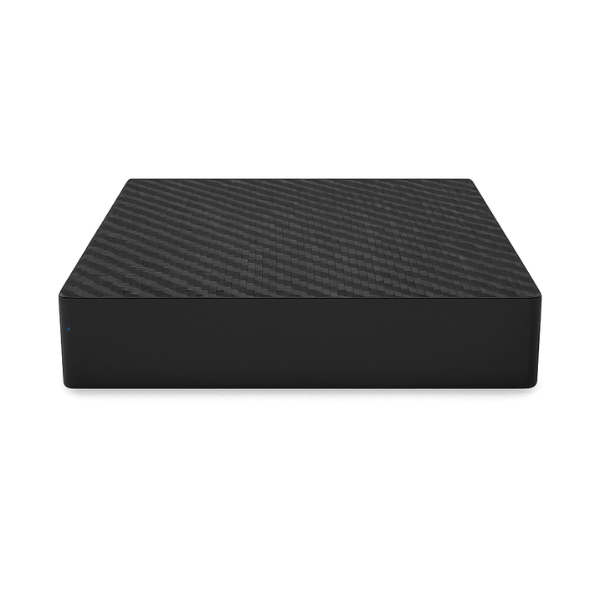
AAVH-X106MH Signage Player with PoE
- CPU: Amlogic S905X5M Quad Core
- RAM: 4GB
- Storage: 32GB
- OS: Android 14
- PoE Support: Yes
- Video Support: 4K 60p and HDR
- Screen Connection: HDMI
- Warranty: 18 months
Why businesses choose a dedicated TDM Signage player
Dedicated signage hardware gives businesses a reliable, purpose-built way to run screen content without depending on improvised or consumer-grade devices.
Reliable playback
Built for continuous digital signage playback, helping screens run consistently throughout the day and across locations.
Easy deployment
Connect via HDMI, apply power, and link it with TDM Signage. No complex setup required.
Flexible screen compatibility
Works with TVs, commercial displays, and projectors through a standard HDMI connection.
Commercial-grade setup
A dedicated hardware player gives businesses a more dependable setup than consumer devices.
Where the TDM Signage player is used
The player is suitable for a range of commercial signage environments wherever a dedicated Android device is needed to drive content on connected screens.
Retail displays
Stores can use the player to show promotions, product information, pricing, and seasonal content on connected screens. Updates can be made remotely through TDM Signage without a visit to each location.
Corporate environments
Offices can use the player to display internal announcements, visitor information, operational dashboards, and team communications on screens throughout the building.
Kiosks
Information points and kiosks can use the player to show digital content on connected displays, replacing printed materials with screens that are easy to update centrally.
Meeting rooms
Meeting rooms can use the player to display room schedules, booking status, or notices on a screen mounted near or inside the room, keeping information visible and current.
Simple to connect and deploy
The setup process is straightforward. Connect the player to a screen, apply power, and use TDM Signage to publish and manage the content it displays.
Connect the player via HDMI
Plug the player into a TV, commercial display, or projector using an HDMI cable. It supports 4K 60p and HDR output, so it works well with high-resolution screens commonly used in commercial environments.
Power the device
It supports Power over Ethernet (PoE), which allows power to be delivered through a network cable where PoE infrastructure is available.
Deploy and manage content
Once the device is connected and TDM is ready, use the platform to publish content to the screen. From there, you can manage playlists, set schedules, and make updates remotely without being on-site.
Frequently asked questions
You need a dedicated signage player when your screen doesn't have a built-in system compatible with TDM Signage, or when a commercial deployment calls for purpose-built hardware rather than a general-purpose device or smart TV app.
It works with most screens that have an HDMI input. This includes TVs, commercial displays, and projectors. If the screen accepts HDMI and supports the output resolution, the player can drive it.
Yes. The AAVH-X106MH can be supplied with TDM Signage pre-installed. This reduces the setup work required before deployment and allows the device to be ready to use more quickly after installation.
No. Connect the player to a screen via HDMI, apply power, and follow the steps to register the device with your TDM Signage account. If TDM Signage is pre-installed, the process is more straightforward still.
Yes. The device is designed for commercial use. It supports continuous operation, 4K playback, and PoE, making it appropriate for retail, corporate, hospitality, healthcare, and other business environments.
The AAVH-X106MH is a good fit if you need an external Android signage player to connect screens to TDM Signage via HDMI. If you're unsure whether it suits your specific setup, contact our team and we can help you choose the right hardware for your deployment.
Ready to add the TDM Signage player to your project?
Get in touch to discuss pricing, availability, or whether the AAVH-X106MH is the right hardware for your setup.
Our team can help you plan a deployment that works for your screens and environment.
30-day free trial. No credit card required.